Larry Myers
mostly cycling and technology
Notes
February 15, 2026
One of the small boons of AI agents rapidly being adopted is the good documentation everywhere suddenly. Projects are quickly gaining good documentation so AI agents can effectively work on them. My best guess is that since an LLM will always read the documentation to form its context window, the documentation gets written. So often with humans good documentation went ignored. The software development future is certainly not going to lack for moments of humor.
Articles
Building for the Web without Node.js →

Own Your MX Record →
How to Create an Astro Markdown Plugin →
How to Run Your Own Minecraft Server →
We Can Have Nice Things →
About Me
I'm a [Dad, Technologist, Cyclist] living in Chicago with my wife, kids, and cats. There are some ghost shrimp in a fishtank too, but I'm not sure I count them as members of the household.
When I'm not getting paid to code I'm usually playing outside and exploring the city.
Things I've Built 
Cycling Weather Forecast
weather.larrymyers.comThere's plenty of weather forecasts out there, but none did a good job of answering the question: "When should I go biking tomorrow?"
So I built one for myself. It's an extremely lightweight traditional webapp with a Go powered backend.
Metra Train Tracker
metra.larrymyers.comMetra has never had a good train tracker, I doubt they ever will. This is a React app with a Go backend that is geared towards people who want to know when the next train is coming with just a quick glance to their phone.
Wordle Solver
wordle.larrymyers.comSome days you just don't want to spend the time staring at your 3rd guess trying to figure out a word that fits. I built this wordle solver to allow me to spend more time analyzing guesses and less time trying to think of words.
Rotom Tournament Pairings
rotom.larrymyers.comTournament pairing notifications for Pokemon TCG major events. I really wanted notifications directly to my phone instead of having to manually reload rk9 between rounds.
Chicago by Bike
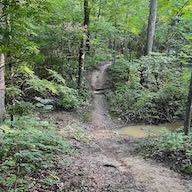
Palos MTB Trails for New Riders
When you are new to mountain biking Palos can be both awesome and intimidating. With the right approach it's a great place to learn.
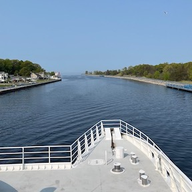
The Lake Michigan Ferry Tour
A self supported 5 day bike tour around the lower half of Lake Michigan.
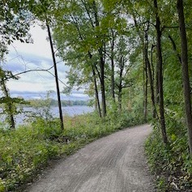
Illinois Prairie Path / Fox River Trail
Endless miles of mixed surface trails through the western suburbs.
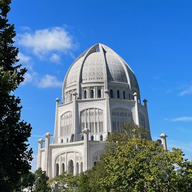
Sheridan Road
Ten miles on one of the best cycling roads through the North Shore.
2026 Ride Stats
| Year to Date | 739 mi |
| Week of May 18 | 102 mi |
| Week of May 11 | 136 mi |
| Week of May 4 | 60 mi |
| Week of Apr 27 | 45 mi |
| Week of Apr 20 | 76 mi |
 Strava